MELSEC FX
Investigate I/O, sequence logic and machine interlocks on existing FX installations. Trace what the controller is seeing and why the expected output is missing.
GX Developer / GX Works2, depending on model
From established FX and Q-series machinery to iQ-F and iQ-R systems. Practical support with the program, the I/O and the equipment it controls.
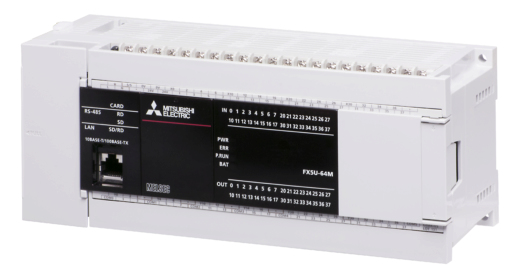
Compact PLC hardware in the newer GX Works3 engineering environment.
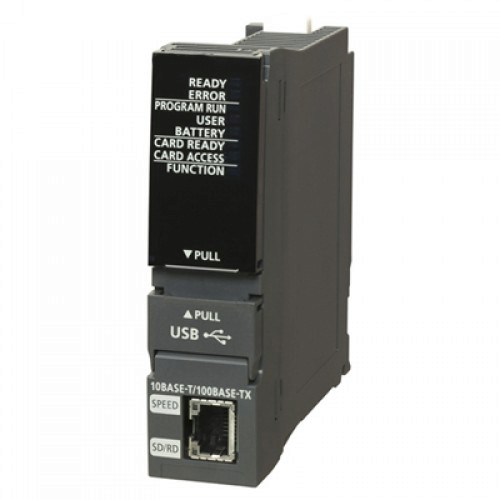
Modular controllers for larger machine and production control systems.
Support across the FX, Q and iQ families, with attention to the original project, the installed modules and the software used to engineer them.
Investigate I/O, sequence logic and machine interlocks on existing FX installations. Trace what the controller is seeing and why the expected output is missing.
GX Developer / GX Works2, depending on modelProgram investigation, controller diagnostics and hardware configuration on modular Q-series systems. Support with the connections between the CPU, I/O and wider machine.
GX Developer / GX Works2, depending on projectSupport for FX5-based machine control. Online monitoring, program changes and investigation of connected equipment within the existing project.
GX Works3Support with program logic, module configuration and controller diagnostics. Understand the installed architecture before making an agreed change.
GX Works3Machine support starts with the installed controller and the symptoms. Understand the logic, field signals and communications together.
Trace interlocks, state changes and permissives to understand where a machine is stopping.
Compare live program signals with sensors, relays, actuators and the electrical drawings.
Investigate PLC communication and command exchange with HMIs, drives and networked modules. Identify the exact device before agreeing the work.
Start with the equipment, the original project and the engineering version. Keep changes grounded in how the existing machine is configured.
Established MELSEC projects, including compatible FX and Q controllers. Start with the original project format and the exact CPU model.
Engineering and maintenance for compatible FX and Q-series systems. Online monitoring, program investigation and project backups.
The engineering environment for MELSEC iQ-F and iQ-R controllers. Program, hardware and diagnostics in the relevant project version.
Identify the CPU, installed modules, connection method and engineering version before connecting or planning a modification.
Include the equipment model, software version and available project files when you enquire.
A clear understanding of the problem and practical options for your equipment.
Trace missing signals, sequence stops and equipment alarms. Connect software findings to the electrical and mechanical behaviour of the machine.
Check addressing, device status and the data path between controllers, I/O, HMIs and connected equipment.
Investigate alarms and displayed status. Improve the information available to operators and maintenance teams.
Review available projects and configurations, support replacement setup and document agreed changes.
Support with I/O checks, machine sequences and agreed changes to existing controls.
Assess installed equipment and dependencies, then work through practical options for repair, replacement or improvement.
Send the equipment details, symptoms and site location. Photos of the hardware, alarm messages and available project information help establish the scope.
Mitsubishi Electric and MELSEC are trademarks of their respective owner. Product images are supplied by the manufacturer and show representative hardware. Chase Controls is an independent service and is not affiliated with or endorsed by Mitsubishi Electric.